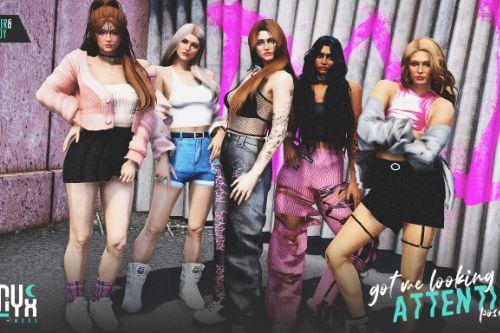
Pleasing Pose Pack


484
8
484
8
。゚・ lunyx.co — gtav animations
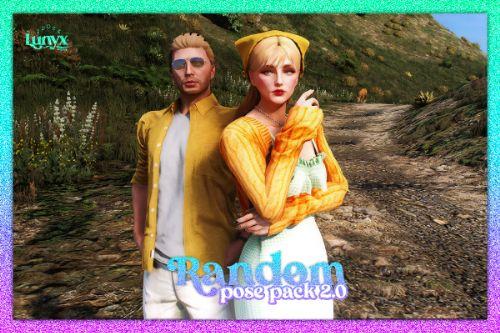
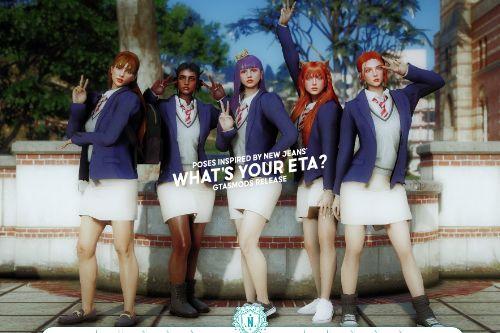
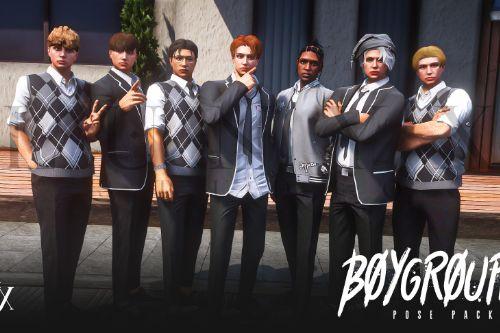
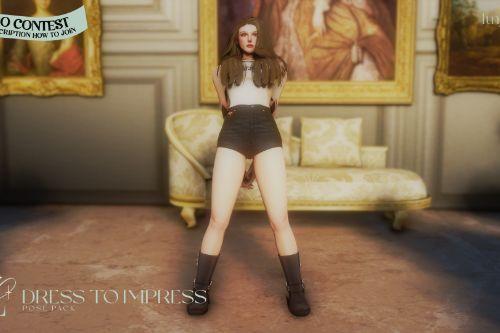
hi! this pose pack has been unlocked by my discord members! thank you everyone for the continues support despite of my intermittent activity! here's a new pose pack for everyone~
ᘒ : installation
— singleplayer
i suggest using this add on mod to add your animation so it won't be too cluttered in a gta folder. i personally use this as well!
1. by using that add-on mod, just drag the ycd files into the clips folder (it has two, but you can put them wherever you like).
2. i suggest using menyoo trainer for posing your character. to add this to your menyoo animation list, go to menyoostuff folder and look for favoriteanim.xml (if you can't find it, you must at least add 1 favorite animation in-game).
3. copy the code provided at "readme" into favoriteanim.xml
4. have fun posing!
— fivem
copy the code that is in the readme.txt to your rpemotes' animationlistcustom.lua. as of now, i don't know how other emote menu works so just know what you're doing.
for more poses and free stuff, you may visit our discord!
🚫 Don't resell.
🚫 Don't re-share to your discords. Link back here.
✅ Feel free to add on your emote menus (not to be sold). Please credit us if you do!
hi! this pose pack has been unlocked by my discord members! thank you everyone for the continues support despite of my intermittent activity! here's a new pose pack for everyone~
ᘒ : installation
— singleplayer
i suggest using this add on mod to add your animation so it won't be too cluttered in a gta folder. i personally use this as well!
1. by using that add-on mod, just drag the ycd files into the clips folder (it has two, but you can put them wherever you like).
2. i suggest using menyoo trainer for posing your character. to add this to your menyoo animation list, go to menyoostuff folder and look for favoriteanim.xml (if you can't find it, you must at least add 1 favorite animation in-game).
3. copy the code provided at "readme" into favoriteanim.xml
4. have fun posing!
— fivem
copy the code that is in the readme.txt to your rpemotes' animationlistcustom.lua. as of now, i don't know how other emote menu works so just know what you're doing.
for more poses and free stuff, you may visit our discord!
🚫 Don't resell.
🚫 Don't re-share to your discords. Link back here.
✅ Feel free to add on your emote menus (not to be sold). Please credit us if you do!
First Uploaded: Domingo 26 de Abril de 2026
Last Updated: Domingo 26 de Abril de 2026
Last Downloaded: 3 horas
4 Comments
More mods by prueling:
。゚・ lunyx.co — gtav animations
hi! this pose pack has been unlocked by my discord members! thank you everyone for the continues support despite of my intermittent activity! here's a new pose pack for everyone~
ᘒ : installation
— singleplayer
i suggest using this add on mod to add your animation so it won't be too cluttered in a gta folder. i personally use this as well!
1. by using that add-on mod, just drag the ycd files into the clips folder (it has two, but you can put them wherever you like).
2. i suggest using menyoo trainer for posing your character. to add this to your menyoo animation list, go to menyoostuff folder and look for favoriteanim.xml (if you can't find it, you must at least add 1 favorite animation in-game).
3. copy the code provided at "readme" into favoriteanim.xml
4. have fun posing!
— fivem
copy the code that is in the readme.txt to your rpemotes' animationlistcustom.lua. as of now, i don't know how other emote menu works so just know what you're doing.
for more poses and free stuff, you may visit our discord!
🚫 Don't resell.
🚫 Don't re-share to your discords. Link back here.
✅ Feel free to add on your emote menus (not to be sold). Please credit us if you do!
hi! this pose pack has been unlocked by my discord members! thank you everyone for the continues support despite of my intermittent activity! here's a new pose pack for everyone~
ᘒ : installation
— singleplayer
i suggest using this add on mod to add your animation so it won't be too cluttered in a gta folder. i personally use this as well!
1. by using that add-on mod, just drag the ycd files into the clips folder (it has two, but you can put them wherever you like).
2. i suggest using menyoo trainer for posing your character. to add this to your menyoo animation list, go to menyoostuff folder and look for favoriteanim.xml (if you can't find it, you must at least add 1 favorite animation in-game).
3. copy the code provided at "readme" into favoriteanim.xml
4. have fun posing!
— fivem
copy the code that is in the readme.txt to your rpemotes' animationlistcustom.lua. as of now, i don't know how other emote menu works so just know what you're doing.
for more poses and free stuff, you may visit our discord!
🚫 Don't resell.
🚫 Don't re-share to your discords. Link back here.
✅ Feel free to add on your emote menus (not to be sold). Please credit us if you do!
First Uploaded: Domingo 26 de Abril de 2026
Last Updated: Domingo 26 de Abril de 2026
Last Downloaded: 3 horas
 5mods on Discord

This file has been approved automatically. If you think this file should not be here for any reason please report it.
I m tired, boss 😔
Where can I find the peds?
@Deathmage66 i just use menyoo to create freemode female.
@Squeezed Juice samedt.