Addon To Road [Legacy & Enhanced] 0.9.1


![Genshin Impact Weapon Pack [Add-On | FiveM | Replace]](https://img.gta5-mods.com/q75-w500-h333-cfill/images/genshin-impact-weapon-pack-add-on-fivem-replace/f7e55a-999.png "Genshin Impact Weapon Pack [Add-On | FiveM | Replace]")



6.956
120
6.956
120
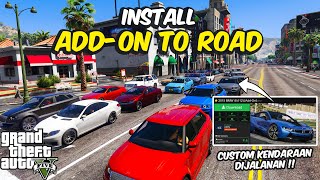
Addon To Road spawns your add-on vehicles into the world as if they were normal NPC traffic.
Vehicles are spawned on nearby streets, driven by NPCs, and cleaned up automatically when far away to keep things stable.
Features
Automatic add-on vehicle detection: auto-scan vehicles from DLCpacks (manual INI still supported).
INI-based vehicle list: manually add or manage vehicle models if desired (add-on & vanilla supported).
Engine-level model validation: validates models using IsInCdImage + IsVehicle to prevent invalid spawns.
Export Valid Models: automatically clean and rebuild the INI with valid vehicle models only.
Ambient NPC traffic: vehicles spawn naturally on roads with NPC drivers.
Safe spawn & despawn system: vehicles spawn near the player and despawn safely when far away.
No Spawn Areas: restricted zones (airports, military bases, etc.) prevent unwanted spawns.
Graceful shutdown: spawned vehicles are cleaned up automatically within 20–30 seconds when disabled.
Performance Mods (optional): engine, brakes, transmission, suspension, armor + turbo (MAX).
Visual Mods (Random): randomized body parts for realistic variety.
Visual Mods MAX: forces maximum visual upgrades for compatible vehicles.
Visual Mods coverage: spoiler, bumpers, skirts, exhaust, roll cage, grille, hood, fenders, roof, livery, window tint.
Random unified paint: primary, secondary, and pearlescent colors match.
Random neon: neon ON/OFF per vehicle with consistent random colors.
Driving Style Presets: Normal, Calm, Fast, Ignore Rules, Crazy.
Random Driving Preset: each vehicle gets its own driving personality.
Random Speed System: Min/Max speed per vehicle (base speed auto-locks when enabled).
Safety warning: alerts when speed values are too high (> 50).
Spawn distance safety: spawn and despawn distances are auto-clamped for stability.
Vehicle Tracker (optional): minimap/map blips with selectable colors and live updates.
Category blocking: toggle spawning for Emergency, Industrial, Military, Service, Commercial, and Utility vehicles.
Always blocked: trailers, boats, planes, helicopters, and trains.
Legacy version only (Enhanced is not supported).
AI Recovery System: vehicles stuck in traffic for ~6 seconds will temporarily switch to a more aggressive driving mode to escape and rejoin traffic flow.
VIP Custom Plate System: optional License tiers unlock advanced custom plate patterns (Supporter / Plus / Pro / MAX).
Smart plate alignment: automatic 8-character centering with lowercase x support for random digits.
Random Passenger System: NPCs can spawn as passengers in addon vehicles with configurable per-seat chance (0–100%).
Menu Controls
• Press Hotkey (default: F6) to open / close the Addon To Road menu.
• You can change the hotkey in: scripts\AddonToRoad\Hotkey.ini
Requirements
LEGACY:
• Script Hook V
• ScriptHookVDotNet-v3.7.0-nightly.167
• LemonUI
ENHANCED:
• Script Hook V
• Script Hook V .Net Enhanced
• LemonUI
Installation
LEGACY:
• Install Script Hook V and ScriptHookVDotNet v3 Nightly (x64).
• Install LemonUI (copy LemonUI.dll to GTA V\scripts).
• Copy AddonToRoad.dll, AddonToRoad.ini, and the AddonToRoad folder to: GTA V\scripts.
• Copy AddonToRoadScanner.exe and CodeWalker.Core.dll to your GTA V main directory (the same folder as GTA5.exe).
• When installing for the first time, you must run the scanner by double-clicking AddonToRoadScanner.exe.
• If you install new add-on vehicles later, you must run the scanner again.
• Launch GTA V Legacy (Story Mode). The script will start automatically if Enabled=true.
ENHANCED:
• Install Script Hook V and Script Hook V .Net Enhanced).
• Install LemonUI (copy LemonUI.dll to GTA V\scripts).
• Copy AddonToRoadEnhanced.dll, AddonToRoad.ini, and the AddonToRoad folder to: GTA V\scripts.
• Copy AddonToRoadScanner.exe and CodeWalker.Core.dll to your GTA V main directory (the same folder as GTA5.exe).
• When installing for the first time, you must run the scanner by double-clicking AddonToRoadScanner.exe.
• If you install new add-on vehicles later, you must run the scanner again.
• Launch GTA V Enhanced (Story Mode). The script will start automatically if Enabled=true.
Notes
• AddonToRoadScanner must be run first to detect add-on vehicles and generate a clean vehicle list automatically.
• The scanner reads dlclist.xml (vanilla vs mods), scans each dlcpack, and extracts vehicle modelName from vehicles.meta.
• Non-vehicle DLCs (weapons, props, etc.) are detected and safely ignored by the scanner.
• DLCs with vehicles.meta but no entries will not produce spawnable vehicles.
• Invalid or mistyped models are listed separately in the menu and will never spawn.
• If a vehicle does not support certain mods, the script will skip them safely without errors.
• Extremely high spawn counts or speed values may cause unstable or chaotic traffic behavior.
• For best stability, keep MaxSpawned ≤ 20 (25 is already extreme) and test on highways or wide roads first.
• Custom Plate Access If you want to unlock the Custom Plate feature, please visit my Patreon: Addon To Road – Patreon
⚠IMPORTANT
• VIP tiers only provide a License file.
• I highly respect and support 5Mods as the main distribution platform.
• You are still REQUIRED to download the main Addon To Road mod from 5Mods:
Download on 5Mods
Troubleshooting
• Vehicle not spawning: confirm the model spawns manually via trainer; verify the model name in the INI.
• Vehicles spawn but don’t move: some add-ons have broken AI or handling data.
• FPS drops: reduce MaxSpawned and increase SpawnIntervalMs.
• Game instability after long sessions: reduce model pool size and MaxSpawned, and avoid extremely high speed values.
• For best stability, keep MaxSpawned ≤ 20 (25 is already extreme) and test on highways or wide roads first.
Recommended Script
• TrafficX Custom
- Makes neon more diverse when used together
Credits
• Script: DexterLooo
Permissions
• Please do not re-upload without permission.
• You may use this script in videos or streams; credit is appreciated.
Support / Donation
If you enjoy this mod and would like to support its development, you may optionally donate via PayPal.
Your support helps keep the project alive and allows me to spend more time improving it.
Enjoy! If you find any bugs, feel free to report them along with your INI settings and vehicle model names.
Changelog
0.9
- Support Enhanced.
- Added a menu option to enable/disable update notifications.
- Increased maxspawn to 80.
- Updated the menu interface for a more compact design.
- block native traffic.
- General stability improvements.
0.8
- Added Random Passenger System: addon vehicles can now spawn with passengers.
- Passenger spawn uses per-seat chance roll (0–100%), configurable from the new Passenger submenu.
- Passengers are properly cleaned up together with their vehicle on despawn, shutdown, or script abort.
- Added Passenger settings to Setting.ini: Enabled and PassengerChance are now saved and loaded automatically.
- General stability improvements.
0.7.1
- Added VIP Custom Plate System (Supporter / Plus / Pro / MAX tiers).
- Smart plate centering (8-character alignment) + lowercase x random digit support.
- Added stuck detection system: vehicles blocked for ~6 seconds will temporarily switch to a more aggressive driving mode to escape traffic jams.
- Improved wanted-level traffic scaling behavior.
- Improved spawn stability near parked vehicles and narrow roads.
- General stability improvements and UI refinements.
0.7
- Auto-scan add-on vehicles from DLCpacks (no manual INI required).
- Improved model validation and crash prevention.
- New Block menu for vehicle categories.
- Role-based NPC drivers for emergency & military vehicles.
- Improved despawn logic, No Spawn Areas, and bike behavior.
- Performance and stability improvements.
0.6
- Added Driving Presets using exclusive checkboxes (only one preset can be selected at a time).
- Added RANDOM driving preset (each spawned vehicle gets a random driving personality).
- Added Random Speed system with Min/Max controls and an Enable toggle.
- When Random Speed is enabled, the base Speed setting becomes disabled (menu lock).
- Added speed safety warning: Speed / MaxSpeed above 50 may cause chaos.
- Added Visual Mods MAX option (exclusive with Visual Mods Random).
- Improved Full Custom logic: child settings are properly locked/unlocked and restored safely.
- Improved UI stability: fixed < > logic to behave consistently across all numeric settings.
- Improved spawn range safety: SpawnRadiusMin/Max can no longer break limits, and SpawnRadiusMax cannot exceed DespawnDistance.
- Improved general stability, logic cleanup, and menu layout improvements.
0.5
- Added configurable menu hotkey (Hotkey.ini).
- Improved despawn logic (destroyed vehicles + dead drivers) with 20–30s cleanup and near-player pause.
- Graceful cleanup when disabling the script (vehicles cleared within 20–30s).
- Expanded No Spawn Areas: added more restricted locations not covered in v0.4.
- Fixed minor bugs and removed warnings.
0.4
- Added engine-based model validation (valid vs invalid models).
- Added Export Valid Models feature to automatically clean the INI file.
- Added No Spawn Areas (airports, military zones, restricted locations).
- Added graceful cleanup when disabling the script (vehicles despawn after 20–30 seconds).
- Added optional Vehicle Tracker with selectable mode and color.
- Added automatic saving of runtime settings (Setting.ini).
- General stability, performance, and logic improvements.
- Added automatic update notification system (GitHub).
0.3
- Menu system is now powered by LemonUI.
- Press F6 to open the Addon To Road menu.
- Intro notification is shown only the first time the menu is opened.
- When RandomNeon is OFF, NeonOnChance is automatically disabled.
- Models menu reworked for better clarity and usability.
- Added Show Model List (read-only).
- Enter Vehicle control disabled while the menu is visible.
- Added notification when Reload Models is used.
- Improved spawn radius logic.
0.2
- Removed leftover add-on name that was mistakenly included.
0.1
- Initial release
Vehicles are spawned on nearby streets, driven by NPCs, and cleaned up automatically when far away to keep things stable.
Features
Automatic add-on vehicle detection: auto-scan vehicles from DLCpacks (manual INI still supported).
INI-based vehicle list: manually add or manage vehicle models if desired (add-on & vanilla supported).
Engine-level model validation: validates models using IsInCdImage + IsVehicle to prevent invalid spawns.
Export Valid Models: automatically clean and rebuild the INI with valid vehicle models only.
Ambient NPC traffic: vehicles spawn naturally on roads with NPC drivers.
Safe spawn & despawn system: vehicles spawn near the player and despawn safely when far away.
No Spawn Areas: restricted zones (airports, military bases, etc.) prevent unwanted spawns.
Graceful shutdown: spawned vehicles are cleaned up automatically within 20–30 seconds when disabled.
Performance Mods (optional): engine, brakes, transmission, suspension, armor + turbo (MAX).
Visual Mods (Random): randomized body parts for realistic variety.
Visual Mods MAX: forces maximum visual upgrades for compatible vehicles.
Visual Mods coverage: spoiler, bumpers, skirts, exhaust, roll cage, grille, hood, fenders, roof, livery, window tint.
Random unified paint: primary, secondary, and pearlescent colors match.
Random neon: neon ON/OFF per vehicle with consistent random colors.
Driving Style Presets: Normal, Calm, Fast, Ignore Rules, Crazy.
Random Driving Preset: each vehicle gets its own driving personality.
Random Speed System: Min/Max speed per vehicle (base speed auto-locks when enabled).
Safety warning: alerts when speed values are too high (> 50).
Spawn distance safety: spawn and despawn distances are auto-clamped for stability.
Vehicle Tracker (optional): minimap/map blips with selectable colors and live updates.
Category blocking: toggle spawning for Emergency, Industrial, Military, Service, Commercial, and Utility vehicles.
Always blocked: trailers, boats, planes, helicopters, and trains.
Legacy version only (Enhanced is not supported).
AI Recovery System: vehicles stuck in traffic for ~6 seconds will temporarily switch to a more aggressive driving mode to escape and rejoin traffic flow.
VIP Custom Plate System: optional License tiers unlock advanced custom plate patterns (Supporter / Plus / Pro / MAX).
Smart plate alignment: automatic 8-character centering with lowercase x support for random digits.
Random Passenger System: NPCs can spawn as passengers in addon vehicles with configurable per-seat chance (0–100%).
Menu Controls
• Press Hotkey (default: F6) to open / close the Addon To Road menu.
• You can change the hotkey in: scripts\AddonToRoad\Hotkey.ini
Requirements
LEGACY:
• Script Hook V
• ScriptHookVDotNet-v3.7.0-nightly.167
• LemonUI
ENHANCED:
• Script Hook V
• Script Hook V .Net Enhanced
• LemonUI
Installation
LEGACY:
• Install Script Hook V and ScriptHookVDotNet v3 Nightly (x64).
• Install LemonUI (copy LemonUI.dll to GTA V\scripts).
• Copy AddonToRoad.dll, AddonToRoad.ini, and the AddonToRoad folder to: GTA V\scripts.
• Copy AddonToRoadScanner.exe and CodeWalker.Core.dll to your GTA V main directory (the same folder as GTA5.exe).
• When installing for the first time, you must run the scanner by double-clicking AddonToRoadScanner.exe.
• If you install new add-on vehicles later, you must run the scanner again.
• Launch GTA V Legacy (Story Mode). The script will start automatically if Enabled=true.
ENHANCED:
• Install Script Hook V and Script Hook V .Net Enhanced).
• Install LemonUI (copy LemonUI.dll to GTA V\scripts).
• Copy AddonToRoadEnhanced.dll, AddonToRoad.ini, and the AddonToRoad folder to: GTA V\scripts.
• Copy AddonToRoadScanner.exe and CodeWalker.Core.dll to your GTA V main directory (the same folder as GTA5.exe).
• When installing for the first time, you must run the scanner by double-clicking AddonToRoadScanner.exe.
• If you install new add-on vehicles later, you must run the scanner again.
• Launch GTA V Enhanced (Story Mode). The script will start automatically if Enabled=true.
Notes
• AddonToRoadScanner must be run first to detect add-on vehicles and generate a clean vehicle list automatically.
• The scanner reads dlclist.xml (vanilla vs mods), scans each dlcpack, and extracts vehicle modelName from vehicles.meta.
• Non-vehicle DLCs (weapons, props, etc.) are detected and safely ignored by the scanner.
• DLCs with vehicles.meta but no entries will not produce spawnable vehicles.
• Invalid or mistyped models are listed separately in the menu and will never spawn.
• If a vehicle does not support certain mods, the script will skip them safely without errors.
• Extremely high spawn counts or speed values may cause unstable or chaotic traffic behavior.
• For best stability, keep MaxSpawned ≤ 20 (25 is already extreme) and test on highways or wide roads first.
• Custom Plate Access If you want to unlock the Custom Plate feature, please visit my Patreon: Addon To Road – Patreon
⚠IMPORTANT
• VIP tiers only provide a License file.
• I highly respect and support 5Mods as the main distribution platform.
• You are still REQUIRED to download the main Addon To Road mod from 5Mods:
Download on 5Mods
Troubleshooting
• Vehicle not spawning: confirm the model spawns manually via trainer; verify the model name in the INI.
• Vehicles spawn but don’t move: some add-ons have broken AI or handling data.
• FPS drops: reduce MaxSpawned and increase SpawnIntervalMs.
• Game instability after long sessions: reduce model pool size and MaxSpawned, and avoid extremely high speed values.
• For best stability, keep MaxSpawned ≤ 20 (25 is already extreme) and test on highways or wide roads first.
Recommended Script
• TrafficX Custom
- Makes neon more diverse when used together
Credits
• Script: DexterLooo
Permissions
• Please do not re-upload without permission.
• You may use this script in videos or streams; credit is appreciated.
Support / Donation
If you enjoy this mod and would like to support its development, you may optionally donate via PayPal.
Your support helps keep the project alive and allows me to spend more time improving it.
Enjoy! If you find any bugs, feel free to report them along with your INI settings and vehicle model names.
Changelog
0.9
- Support Enhanced.
- Added a menu option to enable/disable update notifications.
- Increased maxspawn to 80.
- Updated the menu interface for a more compact design.
- block native traffic.
- General stability improvements.
0.8
- Added Random Passenger System: addon vehicles can now spawn with passengers.
- Passenger spawn uses per-seat chance roll (0–100%), configurable from the new Passenger submenu.
- Passengers are properly cleaned up together with their vehicle on despawn, shutdown, or script abort.
- Added Passenger settings to Setting.ini: Enabled and PassengerChance are now saved and loaded automatically.
- General stability improvements.
0.7.1
- Added VIP Custom Plate System (Supporter / Plus / Pro / MAX tiers).
- Smart plate centering (8-character alignment) + lowercase x random digit support.
- Added stuck detection system: vehicles blocked for ~6 seconds will temporarily switch to a more aggressive driving mode to escape traffic jams.
- Improved wanted-level traffic scaling behavior.
- Improved spawn stability near parked vehicles and narrow roads.
- General stability improvements and UI refinements.
0.7
- Auto-scan add-on vehicles from DLCpacks (no manual INI required).
- Improved model validation and crash prevention.
- New Block menu for vehicle categories.
- Role-based NPC drivers for emergency & military vehicles.
- Improved despawn logic, No Spawn Areas, and bike behavior.
- Performance and stability improvements.
0.6
- Added Driving Presets using exclusive checkboxes (only one preset can be selected at a time).
- Added RANDOM driving preset (each spawned vehicle gets a random driving personality).
- Added Random Speed system with Min/Max controls and an Enable toggle.
- When Random Speed is enabled, the base Speed setting becomes disabled (menu lock).
- Added speed safety warning: Speed / MaxSpeed above 50 may cause chaos.
- Added Visual Mods MAX option (exclusive with Visual Mods Random).
- Improved Full Custom logic: child settings are properly locked/unlocked and restored safely.
- Improved UI stability: fixed < > logic to behave consistently across all numeric settings.
- Improved spawn range safety: SpawnRadiusMin/Max can no longer break limits, and SpawnRadiusMax cannot exceed DespawnDistance.
- Improved general stability, logic cleanup, and menu layout improvements.
0.5
- Added configurable menu hotkey (Hotkey.ini).
- Improved despawn logic (destroyed vehicles + dead drivers) with 20–30s cleanup and near-player pause.
- Graceful cleanup when disabling the script (vehicles cleared within 20–30s).
- Expanded No Spawn Areas: added more restricted locations not covered in v0.4.
- Fixed minor bugs and removed warnings.
0.4
- Added engine-based model validation (valid vs invalid models).
- Added Export Valid Models feature to automatically clean the INI file.
- Added No Spawn Areas (airports, military zones, restricted locations).
- Added graceful cleanup when disabling the script (vehicles despawn after 20–30 seconds).
- Added optional Vehicle Tracker with selectable mode and color.
- Added automatic saving of runtime settings (Setting.ini).
- General stability, performance, and logic improvements.
- Added automatic update notification system (GitHub).
0.3
- Menu system is now powered by LemonUI.
- Press F6 to open the Addon To Road menu.
- Intro notification is shown only the first time the menu is opened.
- When RandomNeon is OFF, NeonOnChance is automatically disabled.
- Models menu reworked for better clarity and usability.
- Added Show Model List (read-only).
- Enter Vehicle control disabled while the menu is visible.
- Added notification when Reload Models is used.
- Improved spawn radius logic.
0.2
- Removed leftover add-on name that was mistakenly included.
0.1
- Initial release
First Uploaded: Mércores 7 de Xaneiro de 2026
Last Updated: 4 días
Last Downloaded: 40 minuto
All Versions
172 Comments
More mods by DexterLooo:
Addon To Road spawns your add-on vehicles into the world as if they were normal NPC traffic.
Vehicles are spawned on nearby streets, driven by NPCs, and cleaned up automatically when far away to keep things stable.
Features
Automatic add-on vehicle detection: auto-scan vehicles from DLCpacks (manual INI still supported).
INI-based vehicle list: manually add or manage vehicle models if desired (add-on & vanilla supported).
Engine-level model validation: validates models using IsInCdImage + IsVehicle to prevent invalid spawns.
Export Valid Models: automatically clean and rebuild the INI with valid vehicle models only.
Ambient NPC traffic: vehicles spawn naturally on roads with NPC drivers.
Safe spawn & despawn system: vehicles spawn near the player and despawn safely when far away.
No Spawn Areas: restricted zones (airports, military bases, etc.) prevent unwanted spawns.
Graceful shutdown: spawned vehicles are cleaned up automatically within 20–30 seconds when disabled.
Performance Mods (optional): engine, brakes, transmission, suspension, armor + turbo (MAX).
Visual Mods (Random): randomized body parts for realistic variety.
Visual Mods MAX: forces maximum visual upgrades for compatible vehicles.
Visual Mods coverage: spoiler, bumpers, skirts, exhaust, roll cage, grille, hood, fenders, roof, livery, window tint.
Random unified paint: primary, secondary, and pearlescent colors match.
Random neon: neon ON/OFF per vehicle with consistent random colors.
Driving Style Presets: Normal, Calm, Fast, Ignore Rules, Crazy.
Random Driving Preset: each vehicle gets its own driving personality.
Random Speed System: Min/Max speed per vehicle (base speed auto-locks when enabled).
Safety warning: alerts when speed values are too high (> 50).
Spawn distance safety: spawn and despawn distances are auto-clamped for stability.
Vehicle Tracker (optional): minimap/map blips with selectable colors and live updates.
Category blocking: toggle spawning for Emergency, Industrial, Military, Service, Commercial, and Utility vehicles.
Always blocked: trailers, boats, planes, helicopters, and trains.
Legacy version only (Enhanced is not supported).
AI Recovery System: vehicles stuck in traffic for ~6 seconds will temporarily switch to a more aggressive driving mode to escape and rejoin traffic flow.
VIP Custom Plate System: optional License tiers unlock advanced custom plate patterns (Supporter / Plus / Pro / MAX).
Smart plate alignment: automatic 8-character centering with lowercase x support for random digits.
Random Passenger System: NPCs can spawn as passengers in addon vehicles with configurable per-seat chance (0–100%).
Menu Controls
• Press Hotkey (default: F6) to open / close the Addon To Road menu.
• You can change the hotkey in: scripts\AddonToRoad\Hotkey.ini
Requirements
LEGACY:
• Script Hook V
• ScriptHookVDotNet-v3.7.0-nightly.167
• LemonUI
ENHANCED:
• Script Hook V
• Script Hook V .Net Enhanced
• LemonUI
Installation
LEGACY:
• Install Script Hook V and ScriptHookVDotNet v3 Nightly (x64).
• Install LemonUI (copy LemonUI.dll to GTA V\scripts).
• Copy AddonToRoad.dll, AddonToRoad.ini, and the AddonToRoad folder to: GTA V\scripts.
• Copy AddonToRoadScanner.exe and CodeWalker.Core.dll to your GTA V main directory (the same folder as GTA5.exe).
• When installing for the first time, you must run the scanner by double-clicking AddonToRoadScanner.exe.
• If you install new add-on vehicles later, you must run the scanner again.
• Launch GTA V Legacy (Story Mode). The script will start automatically if Enabled=true.
ENHANCED:
• Install Script Hook V and Script Hook V .Net Enhanced).
• Install LemonUI (copy LemonUI.dll to GTA V\scripts).
• Copy AddonToRoadEnhanced.dll, AddonToRoad.ini, and the AddonToRoad folder to: GTA V\scripts.
• Copy AddonToRoadScanner.exe and CodeWalker.Core.dll to your GTA V main directory (the same folder as GTA5.exe).
• When installing for the first time, you must run the scanner by double-clicking AddonToRoadScanner.exe.
• If you install new add-on vehicles later, you must run the scanner again.
• Launch GTA V Enhanced (Story Mode). The script will start automatically if Enabled=true.
Notes
• AddonToRoadScanner must be run first to detect add-on vehicles and generate a clean vehicle list automatically.
• The scanner reads dlclist.xml (vanilla vs mods), scans each dlcpack, and extracts vehicle modelName from vehicles.meta.
• Non-vehicle DLCs (weapons, props, etc.) are detected and safely ignored by the scanner.
• DLCs with vehicles.meta but no entries will not produce spawnable vehicles.
• Invalid or mistyped models are listed separately in the menu and will never spawn.
• If a vehicle does not support certain mods, the script will skip them safely without errors.
• Extremely high spawn counts or speed values may cause unstable or chaotic traffic behavior.
• For best stability, keep MaxSpawned ≤ 20 (25 is already extreme) and test on highways or wide roads first.
• Custom Plate Access If you want to unlock the Custom Plate feature, please visit my Patreon: Addon To Road – Patreon
⚠IMPORTANT
• VIP tiers only provide a License file.
• I highly respect and support 5Mods as the main distribution platform.
• You are still REQUIRED to download the main Addon To Road mod from 5Mods:
Download on 5Mods
Troubleshooting
• Vehicle not spawning: confirm the model spawns manually via trainer; verify the model name in the INI.
• Vehicles spawn but don’t move: some add-ons have broken AI or handling data.
• FPS drops: reduce MaxSpawned and increase SpawnIntervalMs.
• Game instability after long sessions: reduce model pool size and MaxSpawned, and avoid extremely high speed values.
• For best stability, keep MaxSpawned ≤ 20 (25 is already extreme) and test on highways or wide roads first.
Recommended Script
• TrafficX Custom
- Makes neon more diverse when used together
Credits
• Script: DexterLooo
Permissions
• Please do not re-upload without permission.
• You may use this script in videos or streams; credit is appreciated.
Support / Donation
If you enjoy this mod and would like to support its development, you may optionally donate via PayPal.
Your support helps keep the project alive and allows me to spend more time improving it.
Enjoy! If you find any bugs, feel free to report them along with your INI settings and vehicle model names.
Changelog
0.9
- Support Enhanced.
- Added a menu option to enable/disable update notifications.
- Increased maxspawn to 80.
- Updated the menu interface for a more compact design.
- block native traffic.
- General stability improvements.
0.8
- Added Random Passenger System: addon vehicles can now spawn with passengers.
- Passenger spawn uses per-seat chance roll (0–100%), configurable from the new Passenger submenu.
- Passengers are properly cleaned up together with their vehicle on despawn, shutdown, or script abort.
- Added Passenger settings to Setting.ini: Enabled and PassengerChance are now saved and loaded automatically.
- General stability improvements.
0.7.1
- Added VIP Custom Plate System (Supporter / Plus / Pro / MAX tiers).
- Smart plate centering (8-character alignment) + lowercase x random digit support.
- Added stuck detection system: vehicles blocked for ~6 seconds will temporarily switch to a more aggressive driving mode to escape traffic jams.
- Improved wanted-level traffic scaling behavior.
- Improved spawn stability near parked vehicles and narrow roads.
- General stability improvements and UI refinements.
0.7
- Auto-scan add-on vehicles from DLCpacks (no manual INI required).
- Improved model validation and crash prevention.
- New Block menu for vehicle categories.
- Role-based NPC drivers for emergency & military vehicles.
- Improved despawn logic, No Spawn Areas, and bike behavior.
- Performance and stability improvements.
0.6
- Added Driving Presets using exclusive checkboxes (only one preset can be selected at a time).
- Added RANDOM driving preset (each spawned vehicle gets a random driving personality).
- Added Random Speed system with Min/Max controls and an Enable toggle.
- When Random Speed is enabled, the base Speed setting becomes disabled (menu lock).
- Added speed safety warning: Speed / MaxSpeed above 50 may cause chaos.
- Added Visual Mods MAX option (exclusive with Visual Mods Random).
- Improved Full Custom logic: child settings are properly locked/unlocked and restored safely.
- Improved UI stability: fixed < > logic to behave consistently across all numeric settings.
- Improved spawn range safety: SpawnRadiusMin/Max can no longer break limits, and SpawnRadiusMax cannot exceed DespawnDistance.
- Improved general stability, logic cleanup, and menu layout improvements.
0.5
- Added configurable menu hotkey (Hotkey.ini).
- Improved despawn logic (destroyed vehicles + dead drivers) with 20–30s cleanup and near-player pause.
- Graceful cleanup when disabling the script (vehicles cleared within 20–30s).
- Expanded No Spawn Areas: added more restricted locations not covered in v0.4.
- Fixed minor bugs and removed warnings.
0.4
- Added engine-based model validation (valid vs invalid models).
- Added Export Valid Models feature to automatically clean the INI file.
- Added No Spawn Areas (airports, military zones, restricted locations).
- Added graceful cleanup when disabling the script (vehicles despawn after 20–30 seconds).
- Added optional Vehicle Tracker with selectable mode and color.
- Added automatic saving of runtime settings (Setting.ini).
- General stability, performance, and logic improvements.
- Added automatic update notification system (GitHub).
0.3
- Menu system is now powered by LemonUI.
- Press F6 to open the Addon To Road menu.
- Intro notification is shown only the first time the menu is opened.
- When RandomNeon is OFF, NeonOnChance is automatically disabled.
- Models menu reworked for better clarity and usability.
- Added Show Model List (read-only).
- Enter Vehicle control disabled while the menu is visible.
- Added notification when Reload Models is used.
- Improved spawn radius logic.
0.2
- Removed leftover add-on name that was mistakenly included.
0.1
- Initial release
Vehicles are spawned on nearby streets, driven by NPCs, and cleaned up automatically when far away to keep things stable.
Features
Automatic add-on vehicle detection: auto-scan vehicles from DLCpacks (manual INI still supported).
INI-based vehicle list: manually add or manage vehicle models if desired (add-on & vanilla supported).
Engine-level model validation: validates models using IsInCdImage + IsVehicle to prevent invalid spawns.
Export Valid Models: automatically clean and rebuild the INI with valid vehicle models only.
Ambient NPC traffic: vehicles spawn naturally on roads with NPC drivers.
Safe spawn & despawn system: vehicles spawn near the player and despawn safely when far away.
No Spawn Areas: restricted zones (airports, military bases, etc.) prevent unwanted spawns.
Graceful shutdown: spawned vehicles are cleaned up automatically within 20–30 seconds when disabled.
Performance Mods (optional): engine, brakes, transmission, suspension, armor + turbo (MAX).
Visual Mods (Random): randomized body parts for realistic variety.
Visual Mods MAX: forces maximum visual upgrades for compatible vehicles.
Visual Mods coverage: spoiler, bumpers, skirts, exhaust, roll cage, grille, hood, fenders, roof, livery, window tint.
Random unified paint: primary, secondary, and pearlescent colors match.
Random neon: neon ON/OFF per vehicle with consistent random colors.
Driving Style Presets: Normal, Calm, Fast, Ignore Rules, Crazy.
Random Driving Preset: each vehicle gets its own driving personality.
Random Speed System: Min/Max speed per vehicle (base speed auto-locks when enabled).
Safety warning: alerts when speed values are too high (> 50).
Spawn distance safety: spawn and despawn distances are auto-clamped for stability.
Vehicle Tracker (optional): minimap/map blips with selectable colors and live updates.
Category blocking: toggle spawning for Emergency, Industrial, Military, Service, Commercial, and Utility vehicles.
Always blocked: trailers, boats, planes, helicopters, and trains.
Legacy version only (Enhanced is not supported).
AI Recovery System: vehicles stuck in traffic for ~6 seconds will temporarily switch to a more aggressive driving mode to escape and rejoin traffic flow.
VIP Custom Plate System: optional License tiers unlock advanced custom plate patterns (Supporter / Plus / Pro / MAX).
Smart plate alignment: automatic 8-character centering with lowercase x support for random digits.
Random Passenger System: NPCs can spawn as passengers in addon vehicles with configurable per-seat chance (0–100%).
Menu Controls
• Press Hotkey (default: F6) to open / close the Addon To Road menu.
• You can change the hotkey in: scripts\AddonToRoad\Hotkey.ini
Requirements
LEGACY:
• Script Hook V
• ScriptHookVDotNet-v3.7.0-nightly.167
• LemonUI
ENHANCED:
• Script Hook V
• Script Hook V .Net Enhanced
• LemonUI
Installation
LEGACY:
• Install Script Hook V and ScriptHookVDotNet v3 Nightly (x64).
• Install LemonUI (copy LemonUI.dll to GTA V\scripts).
• Copy AddonToRoad.dll, AddonToRoad.ini, and the AddonToRoad folder to: GTA V\scripts.
• Copy AddonToRoadScanner.exe and CodeWalker.Core.dll to your GTA V main directory (the same folder as GTA5.exe).
• When installing for the first time, you must run the scanner by double-clicking AddonToRoadScanner.exe.
• If you install new add-on vehicles later, you must run the scanner again.
• Launch GTA V Legacy (Story Mode). The script will start automatically if Enabled=true.
ENHANCED:
• Install Script Hook V and Script Hook V .Net Enhanced).
• Install LemonUI (copy LemonUI.dll to GTA V\scripts).
• Copy AddonToRoadEnhanced.dll, AddonToRoad.ini, and the AddonToRoad folder to: GTA V\scripts.
• Copy AddonToRoadScanner.exe and CodeWalker.Core.dll to your GTA V main directory (the same folder as GTA5.exe).
• When installing for the first time, you must run the scanner by double-clicking AddonToRoadScanner.exe.
• If you install new add-on vehicles later, you must run the scanner again.
• Launch GTA V Enhanced (Story Mode). The script will start automatically if Enabled=true.
Notes
• AddonToRoadScanner must be run first to detect add-on vehicles and generate a clean vehicle list automatically.
• The scanner reads dlclist.xml (vanilla vs mods), scans each dlcpack, and extracts vehicle modelName from vehicles.meta.
• Non-vehicle DLCs (weapons, props, etc.) are detected and safely ignored by the scanner.
• DLCs with vehicles.meta but no entries will not produce spawnable vehicles.
• Invalid or mistyped models are listed separately in the menu and will never spawn.
• If a vehicle does not support certain mods, the script will skip them safely without errors.
• Extremely high spawn counts or speed values may cause unstable or chaotic traffic behavior.
• For best stability, keep MaxSpawned ≤ 20 (25 is already extreme) and test on highways or wide roads first.
• Custom Plate Access If you want to unlock the Custom Plate feature, please visit my Patreon: Addon To Road – Patreon
⚠IMPORTANT
• VIP tiers only provide a License file.
• I highly respect and support 5Mods as the main distribution platform.
• You are still REQUIRED to download the main Addon To Road mod from 5Mods:
Download on 5Mods
Troubleshooting
• Vehicle not spawning: confirm the model spawns manually via trainer; verify the model name in the INI.
• Vehicles spawn but don’t move: some add-ons have broken AI or handling data.
• FPS drops: reduce MaxSpawned and increase SpawnIntervalMs.
• Game instability after long sessions: reduce model pool size and MaxSpawned, and avoid extremely high speed values.
• For best stability, keep MaxSpawned ≤ 20 (25 is already extreme) and test on highways or wide roads first.
Recommended Script
• TrafficX Custom
- Makes neon more diverse when used together
Credits
• Script: DexterLooo
Permissions
• Please do not re-upload without permission.
• You may use this script in videos or streams; credit is appreciated.
Support / Donation
If you enjoy this mod and would like to support its development, you may optionally donate via PayPal.
Your support helps keep the project alive and allows me to spend more time improving it.
Enjoy! If you find any bugs, feel free to report them along with your INI settings and vehicle model names.
Changelog
0.9
- Support Enhanced.
- Added a menu option to enable/disable update notifications.
- Increased maxspawn to 80.
- Updated the menu interface for a more compact design.
- block native traffic.
- General stability improvements.
0.8
- Added Random Passenger System: addon vehicles can now spawn with passengers.
- Passenger spawn uses per-seat chance roll (0–100%), configurable from the new Passenger submenu.
- Passengers are properly cleaned up together with their vehicle on despawn, shutdown, or script abort.
- Added Passenger settings to Setting.ini: Enabled and PassengerChance are now saved and loaded automatically.
- General stability improvements.
0.7.1
- Added VIP Custom Plate System (Supporter / Plus / Pro / MAX tiers).
- Smart plate centering (8-character alignment) + lowercase x random digit support.
- Added stuck detection system: vehicles blocked for ~6 seconds will temporarily switch to a more aggressive driving mode to escape traffic jams.
- Improved wanted-level traffic scaling behavior.
- Improved spawn stability near parked vehicles and narrow roads.
- General stability improvements and UI refinements.
0.7
- Auto-scan add-on vehicles from DLCpacks (no manual INI required).
- Improved model validation and crash prevention.
- New Block menu for vehicle categories.
- Role-based NPC drivers for emergency & military vehicles.
- Improved despawn logic, No Spawn Areas, and bike behavior.
- Performance and stability improvements.
0.6
- Added Driving Presets using exclusive checkboxes (only one preset can be selected at a time).
- Added RANDOM driving preset (each spawned vehicle gets a random driving personality).
- Added Random Speed system with Min/Max controls and an Enable toggle.
- When Random Speed is enabled, the base Speed setting becomes disabled (menu lock).
- Added speed safety warning: Speed / MaxSpeed above 50 may cause chaos.
- Added Visual Mods MAX option (exclusive with Visual Mods Random).
- Improved Full Custom logic: child settings are properly locked/unlocked and restored safely.
- Improved UI stability: fixed < > logic to behave consistently across all numeric settings.
- Improved spawn range safety: SpawnRadiusMin/Max can no longer break limits, and SpawnRadiusMax cannot exceed DespawnDistance.
- Improved general stability, logic cleanup, and menu layout improvements.
0.5
- Added configurable menu hotkey (Hotkey.ini).
- Improved despawn logic (destroyed vehicles + dead drivers) with 20–30s cleanup and near-player pause.
- Graceful cleanup when disabling the script (vehicles cleared within 20–30s).
- Expanded No Spawn Areas: added more restricted locations not covered in v0.4.
- Fixed minor bugs and removed warnings.
0.4
- Added engine-based model validation (valid vs invalid models).
- Added Export Valid Models feature to automatically clean the INI file.
- Added No Spawn Areas (airports, military zones, restricted locations).
- Added graceful cleanup when disabling the script (vehicles despawn after 20–30 seconds).
- Added optional Vehicle Tracker with selectable mode and color.
- Added automatic saving of runtime settings (Setting.ini).
- General stability, performance, and logic improvements.
- Added automatic update notification system (GitHub).
0.3
- Menu system is now powered by LemonUI.
- Press F6 to open the Addon To Road menu.
- Intro notification is shown only the first time the menu is opened.
- When RandomNeon is OFF, NeonOnChance is automatically disabled.
- Models menu reworked for better clarity and usability.
- Added Show Model List (read-only).
- Enter Vehicle control disabled while the menu is visible.
- Added notification when Reload Models is used.
- Improved spawn radius logic.
0.2
- Removed leftover add-on name that was mistakenly included.
0.1
- Initial release
First Uploaded: Mércores 7 de Xaneiro de 2026
Last Updated: 4 días
Last Downloaded: 40 minuto
 5mods on Discord

📌 REQUIRED VERSIONS FOR VERSION 0.9
Legacy → SHVDN v3.7.0-nightly.167 (https://github.com/scripthookvdotnet/scripthookvdotnet-nightly/releases/tag/v3.7.0-nightly.167)
Enhanced → Script Hook V .Net Enhanced (https://www.gta5-mods.com/tools/script-hook-v-net-enhanced)
@Banu Wisnu same to me too
still no solution?
traffic made ez. running SCVN v.110 and 0.4 addon to road for EAI stability great mod
will this work on enhanced version?
same here with mine
When i scan the the car folder for somehow it find 660 car mods (which are just the gta car mods) an d now it spawn normal cares like that how can i fix it? Models=24mac,296gt3,296gts,458spc,488,765lt,918,akula,aleutian,alkonost,alphaz1,annihilator2,apc,arbitergt,ardent,asbo,asterope2,astrale,astron,astron2,audir82023,autarch,avarus,avenger,avenger2,avenger3,avenger4,aventador,avisa,baller3,baller4,baller5,baller6,baller7,baller8,banshee2,banshee3,barracks3,barrage,bcps,benson2,bestiagts,bf400,blazer4,blazer5,blimp3,boattrailer2,boattrailer3,bombushka,boor,boxville4,boxville5,boxville6,brawler,brickade,brickade2,brigham,brioso,brioso2,brioso3,broadway,bruiser,bruiser2,bruiser3,brutus,brutus2,brutus3,btype2,btype3,buccaneer2,buffalo4,buffalo5,caddy3,calico,caracara,caracara2,cargobob4,cargobob5,cargoplane2,casco,castigator,cavalcade3,cerberus,cerberus2,cerberus3,champion,chavosv6,cheburek,cheetah2,cheetah3,chernobog,chimera,chino,chino2,cinquemila,cliffhanger,clique,clique2,club,cog55,cog552,cognoscenti,cognoscenti2,comet3,comet4,comet5,comet6,comet7,conada,conada2,contender,coquette3,coquette4,coquette5,coquette6,corsita,coureur,cyclone,cyclone2,cypher,daemon2,deathbike,deathbike2,deathbike3,defiler,deity,deluxo,deveste,deviant,diablous,diablous2,dinghy3,dinghy4,dinghy5,dominator10,dominator3,dominator4,dominator5,dominator6,dominator7,dominator8,dominator9,dorado,drafter,draugur,driftchavosv6,driftcheburek,driftcypher,driftdominator10,driftdominator9,drifteuros,driftfr36,driftfuto,driftfuto2,driftgauntlet4,drifthardy,driftjester,driftjester3,driftkeitora,driftl352,driftnebula,driftremus,driftrt3000,driftsentinel,driftsentinel2,drifttampa,driftvorschlag,driftyosemite,driftzr350,dukes3,dune3,dune4,dune5,duster2,dynasty,elegy,ellie,emerus,enduro,entity2,entity3,envisage,esskey,eudora,euros,eurosx32,everon,everon2,everon3,f8t,faction,faction2,faction3,fagaloa,faggio,faggio3,fcr,fcr2,feltzer3,firebolt,flashgt,flatbed2,fmj,fmj2,formula,formula2,forza,fr36,freecrawler,freight2,freightcar2,freightcar3,furia,futo2,gargoyle,gauntlet3,gauntlet4,gauntlet5,gauntlet6,gb200,gburrito2,glendale2,gp1,granger2,greenwood,growler,gt500,gt750,guardian,hakuchou2,halftrack,hardy,hauler2,havok,hellion,hermes,hotring,howard,hunter,huracan,hurper,hustler,hydra,ignus,ignus2,ikx3_gt3r22,imorgon,impaler,impaler2,impaler3,impaler4,impaler5,impaler6,imperator,imperator2,imperator3,inductor,inductor2,infernus2,insurgent,insurgent2,insurgent3,issi3,issi4,issi5,issi6,issi7,issi8,itali2,italigtb,italigtb2,italigto,italirsx,iwagen,jb7002,jesko,jeskoattack24,jester2,jester3,jester4,jester5,journey2,jubilee,jugular,kamacho,kanjo,kanjosj,keitora,khanjali,koen,komoda,kosatka,krieger,kuruma,kuruma2,l35,l352,laferrari,landstalker2,le7b,lectro,limo2,lm87,locust,longfin,luiva,lurcher,luxor2,lynx,mamba,manana2,manchez,manchez2,manchez3,massacro2,maverick2,mclp1,mcst,menacer,michelli,microlight,minimus,minitank,minivan2,mogul,molotok,monster3,monster4,monster5,monstrociti,moonbeam,moonbeam2,mule3,mule4,mule5,nebula,neo,neon,nero,nero2,nightblade,nightshade,nightshark,nimbus,niobe,nokota,novak,omnis,omnisegt,openwheel1,openwheel2,oppressor,oppressor2,osiris,outlaw,oycs7lm,oycu9,p1,p1gtr,panthere,paragon,paragon2,paragon3,pariah,patriot2,patriot3,patrolboat,pbus2,penetrator,penumbra2,peyote2,peyote3,pfister811,phantom2,phantom3,phantom4,pipistrello,pizzaboy,polbuffalo,polbuffalo6,polcaracara,polcoquette4,poldominator10,poldorado,polfaction2,polgauntlet,polgreenwood,police5,policeb2,policet3,polimpaler5,polimpaler6,polterminus,postlude,pounder2,powersurge,previon,primo2,prototipo,pyro,r300,raiden,raiju,rallytruck,rapidgt3,rapidgt4,raptor,raptor2017,ratbike,ratel,ratloader2,rcbandito,reaper,rebla,reever,regera,remus,retinue,retinue2,revolter,rhinehart,riata,riot2,rogue,rrocket,rt3000,ruiner2,ruiner3,ruiner4,rumpo3,ruston,s80,s95,sabregt2,sanctus,savage,savestra,sc1,scarab,scarab2,scarab3,schafter3,schafter4,schafter5,schafter6,schlagen,scramjet,seabreeze,seashark3,seasparrow,seasparrow2,seasparrow3,seminole2,sentinel3,sentinel4,sentinel5,sentinel6,seven70,sf90,sheava,shinobi,shotaro,slamtruck,slamvan,slamvan2,slamvan3,slamvan4,slamvan5,slamvan6,sm722,specter,specter2,speeder2,speedo4,speedo5,squaddie,stafford,starling,stingertt,stockade4,streamer216,streiter,strikeforce,stromberg,stryder,sugoi,sultan2,sultan3,sultanrs,supervolito,supervolito2,surfer3,suzume,swift2,swinger,t20,tahoma,tailgater2,taipan,tampa2,tampa3,tampa4,tanker2,technical,technical2,technical3,tempesta,tenf,tenf2,terbyte,terminus,tezeract,thrax,thruster,tigon,titan2,toreador,torero,torero2,tornado5,tornado6,toro,toro2,toros,towtruck3,towtruck4,trailerlarge,trailers4,trailers5,trailersmall2,trash2,trophytruck,trophytruck2,tropic2,tropos,tug,tula,tulip,tulip2,turismo2,turismo3,tvtrailer2,tw_kar18,tyrant,tyrus,uranus,vagner,vagrant,valkyrie,valkyrie2,vamos,vectre,velum2,verlierer2,verus,vetir,veto,veto2,vigero2,vigero3,vigilante,vindicator,virgo,virgo2,virgo3,virtue,viseris,visione,vivanite,vivanite2,volatol,volatus,voltic2,voodoo,vorschlaghammer,vortex,vstr,warrener2,wastelander,weevil,weevil2,windsor,windsor2,winky,wolfsbane,woodlander,xa21,xls,xls2,xtreme,yosemite,yosemite1500,yosemite2,yosemite3,youga2,youga3,youga4,youga5,z190,zeno,zhaba,zion3,zombiea,zombieb,zondac,zorrusso,zr350,zr380,zr3802,zr3803
@DexterLooo This awesome script was working for me but after updating to .8 from .7.1 I was getting some unhandled exception errors. reverted back to .7.1 and now seeing the same errors there. pastebin of the SHVDN log
https://pastebin.com/b3S69v0D
Mod is great, but is there any way I can only have my addon cars spawn in traffic, or will that be added in a future update?
@imitenotbecrazy same here...still no solution?
@DexterLooo WTW boss, it looks like AddonRoad throws an exception error with the latest Nightly Sripthookvdotnet v142. I’ve tested this and I can only get your script to work when I revert to an earlier SHVDnet nightly version
@BigC_GTA I downgraded to SHVDNnightly v.100 and revert to addonroad v0.7, the script is finally working again.
@DexterLooo are you planning an update because this does not work with nightly 167
its working good for me with ScriptHookVDotNet3 Version=3.9.0.0
sorry everyone, i haven't updated in a while because i was focusing on my thesis last semester. hopefully, i can focus on updating more often from now on
Got this little error popup the entire time I was playing, but it works flawlessly other than that:
[16:08:05] [ERROR] The exception was thrown while executing the script AddonToRoadMenu from "C:\Program Files (x86)\Steam\steamapps\common\Grand Theft Auto V\scripts\Legacy\AddonToRoad.dll".
[16:08:05] [ERROR] Caught unhandled exception:
System.MissingMethodException: Method not found: 'GTA.UI.FeedPost GTA.UI.Notification.PostTicker(System.String, Boolean, Boolean)'.
at AddonToRoadMenu.OnKeyDown(Object sender, KeyEventArgs e)
at SHVDN.Script.DoTick()
Definitely focus on your thesis, I say this as a guy who proofed his buddy's for a master in agricultural engineering, riveting stuff I tell ya
i have no settings.ini or hotkey.ini? why
@smouk11 you have to play at least once, then they will appear
@Mazioman Hey! Thanks for reporting this, found the cause. It's a breaking change in newer SHVDN nightly builds where FeedPost moved namespaces (from GTA.FeedPost to GTA.UI.FeedPost), which broke the method signature my compiled DLL was referencing. Recompiled against the latest nightly and just pushed the update, this should be fixed now. Sorry for the popup spam, and glad it kept working despite it! 😅
@DexterLooo Aw man, I love being helpful, any time dude