Simple Mods Loader (Enhanced) 1.0

![Recruit Pedestrians [ASI] (Enhanced)](https://img.gta5-mods.com/q75-w500-h333-cfill/images/recruit-pedestrians-asi-enhanced/6c22bb-recruitpeds.png "Recruit Pedestrians [ASI] (Enhanced)")
![Native Mod Menu [ASI] (Enhanced)](https://img.gta5-mods.com/q75-w500-h333-cfill/images/native-mod-menu-asi-enhanced-nativecoder/741d47-NMM_IMG.png "Native Mod Menu [ASI] (Enhanced)")
![Race Boost For All Vehicles [ASI] (Enhanced)](https://img.gta5-mods.com/q75-w500-h333-cfill/images/race-boost-for-all-vehicles-asi-enhanced/f62301-sssss.png "Race Boost For All Vehicles [ASI] (Enhanced)")


142
14
142
14
Loads custom game files from "mods" folder using a loose file format or in the classic RPF format.
Features:
- Use mods on the fly with simple folders.
- No need to reinstall mods if game files changed.
- Addons are installed automatically once dropped.
- No more duplicated RPF files inside your game folder.
- No third party dependencies like OpenIV or ScriptHookV.
- Malformed files are rebuilt on the fly to ensure compatibility.
Requirements:
- Disable BattleEye (args.txt)
Installation:
- Copy both files into GTA V folder.
- Create a "mods" folder inside GTA V folder.
- Add your mods normally. (See tutorial video)
Mods included in video:
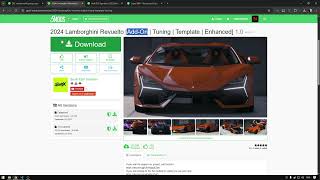
- https://www.gta5-mods.com/vehicles/2024-lamborghini-revuelto-addon-livery-template-tuning
- https://www.gta5-mods.com/vehicles/audi-rs3-sportback-2022-addon-fivem-animated-vehfuncsv
- https://www.gta5-mods.com/misc/dlc-vehicle-traffic-popgroups-both-legacy-enhanced
- https://www.gta5-mods.com/scripts/native-mod-menu-asi-enhanced-nativecoder
- https://www.gta5-mods.com/vehicles/super-bmx-bunnyhop-speed
- https://www.gta5-mods.com/scripts/straight-to-story-mode
Change Logs:
- Load from mods folder. (1.0)
- Find ng-encryption from game files. (1.0)
- Patched rpf.cache oversizing corruption. (1.0)
- Ensure retro-compatibility with classic RPF mods.
Features:
- Use mods on the fly with simple folders.
- No need to reinstall mods if game files changed.
- Addons are installed automatically once dropped.
- No more duplicated RPF files inside your game folder.
- No third party dependencies like OpenIV or ScriptHookV.
- Malformed files are rebuilt on the fly to ensure compatibility.
Requirements:
- Disable BattleEye (args.txt)
Installation:
- Copy both files into GTA V folder.
- Create a "mods" folder inside GTA V folder.
- Add your mods normally. (See tutorial video)
Mods included in video:
- https://www.gta5-mods.com/vehicles/2024-lamborghini-revuelto-addon-livery-template-tuning
- https://www.gta5-mods.com/vehicles/audi-rs3-sportback-2022-addon-fivem-animated-vehfuncsv
- https://www.gta5-mods.com/misc/dlc-vehicle-traffic-popgroups-both-legacy-enhanced
- https://www.gta5-mods.com/scripts/native-mod-menu-asi-enhanced-nativecoder
- https://www.gta5-mods.com/vehicles/super-bmx-bunnyhop-speed
- https://www.gta5-mods.com/scripts/straight-to-story-mode
Change Logs:
- Load from mods folder. (1.0)
- Find ng-encryption from game files. (1.0)
- Patched rpf.cache oversizing corruption. (1.0)
- Ensure retro-compatibility with classic RPF mods.
First Uploaded: 16 horas
Last Updated: 12 horas
Last Downloaded: 16 minuto
3 Comments
Loads custom game files from "mods" folder using a loose file format or in the classic RPF format.
Features:
- Use mods on the fly with simple folders.
- No need to reinstall mods if game files changed.
- Addons are installed automatically once dropped.
- No more duplicated RPF files inside your game folder.
- No third party dependencies like OpenIV or ScriptHookV.
- Malformed files are rebuilt on the fly to ensure compatibility.
Requirements:
- Disable BattleEye (args.txt)
Installation:
- Copy both files into GTA V folder.
- Create a "mods" folder inside GTA V folder.
- Add your mods normally. (See tutorial video)
Mods included in video:
- https://www.gta5-mods.com/vehicles/2024-lamborghini-revuelto-addon-livery-template-tuning
- https://www.gta5-mods.com/vehicles/audi-rs3-sportback-2022-addon-fivem-animated-vehfuncsv
- https://www.gta5-mods.com/misc/dlc-vehicle-traffic-popgroups-both-legacy-enhanced
- https://www.gta5-mods.com/scripts/native-mod-menu-asi-enhanced-nativecoder
- https://www.gta5-mods.com/vehicles/super-bmx-bunnyhop-speed
- https://www.gta5-mods.com/scripts/straight-to-story-mode
Change Logs:
- Load from mods folder. (1.0)
- Find ng-encryption from game files. (1.0)
- Patched rpf.cache oversizing corruption. (1.0)
- Ensure retro-compatibility with classic RPF mods.
Features:
- Use mods on the fly with simple folders.
- No need to reinstall mods if game files changed.
- Addons are installed automatically once dropped.
- No more duplicated RPF files inside your game folder.
- No third party dependencies like OpenIV or ScriptHookV.
- Malformed files are rebuilt on the fly to ensure compatibility.
Requirements:
- Disable BattleEye (args.txt)
Installation:
- Copy both files into GTA V folder.
- Create a "mods" folder inside GTA V folder.
- Add your mods normally. (See tutorial video)
Mods included in video:
- https://www.gta5-mods.com/vehicles/2024-lamborghini-revuelto-addon-livery-template-tuning
- https://www.gta5-mods.com/vehicles/audi-rs3-sportback-2022-addon-fivem-animated-vehfuncsv
- https://www.gta5-mods.com/misc/dlc-vehicle-traffic-popgroups-both-legacy-enhanced
- https://www.gta5-mods.com/scripts/native-mod-menu-asi-enhanced-nativecoder
- https://www.gta5-mods.com/vehicles/super-bmx-bunnyhop-speed
- https://www.gta5-mods.com/scripts/straight-to-story-mode
Change Logs:
- Load from mods folder. (1.0)
- Find ng-encryption from game files. (1.0)
- Patched rpf.cache oversizing corruption. (1.0)
- Ensure retro-compatibility with classic RPF mods.
First Uploaded: 16 horas
Last Updated: 12 horas
Last Downloaded: 16 minuto
 5mods on Discord

Video tutorial: https://www.youtube.com/watch?v=jd-bQTQJw_A
Can you open source it if you don't mind please ? I want to rework it for the Legacy if possible.
That's amazing! It delivers features that ClosedV doesn't have yet. Could you make it compatible with older versions of the program? Additionally, could you add a second file reading mode that can be toggled via an INI configuration file. For example, the replacement path for the mod file popgroups.ymt is: update-update.rpf-x64-levels-gta5. We can simply name a folder "update-update.rpf-x64-levels-gta5" and place popgroups.ymt inside it. This eliminates the need to create multi-level directories and keeps the structure straightforward and easy to understand.